
48 - Albin Groen

Albin is a self-taught frontend developer currently working at All Ears.
He started in design, and that influence still shows up in how he approaches development — with attention to detail, aesthetics, and craft. Outside of code, he’s always gravitated toward creative subcultures: freestyle skiing, skateboarding, keyboards, photography, and climbing. Things that reward long-term practice.
He lives just outside Stockholm with his partner. When he’s not working, he’s usually outdoors — hiking, traveling, photographing, or building and maintaining open-source projects.
Earlier in his career, he was active in the developer meetup scene, attending, speaking, and organizing events.
Open Source
Albin maintains a few projects:
Neovim & Terminal
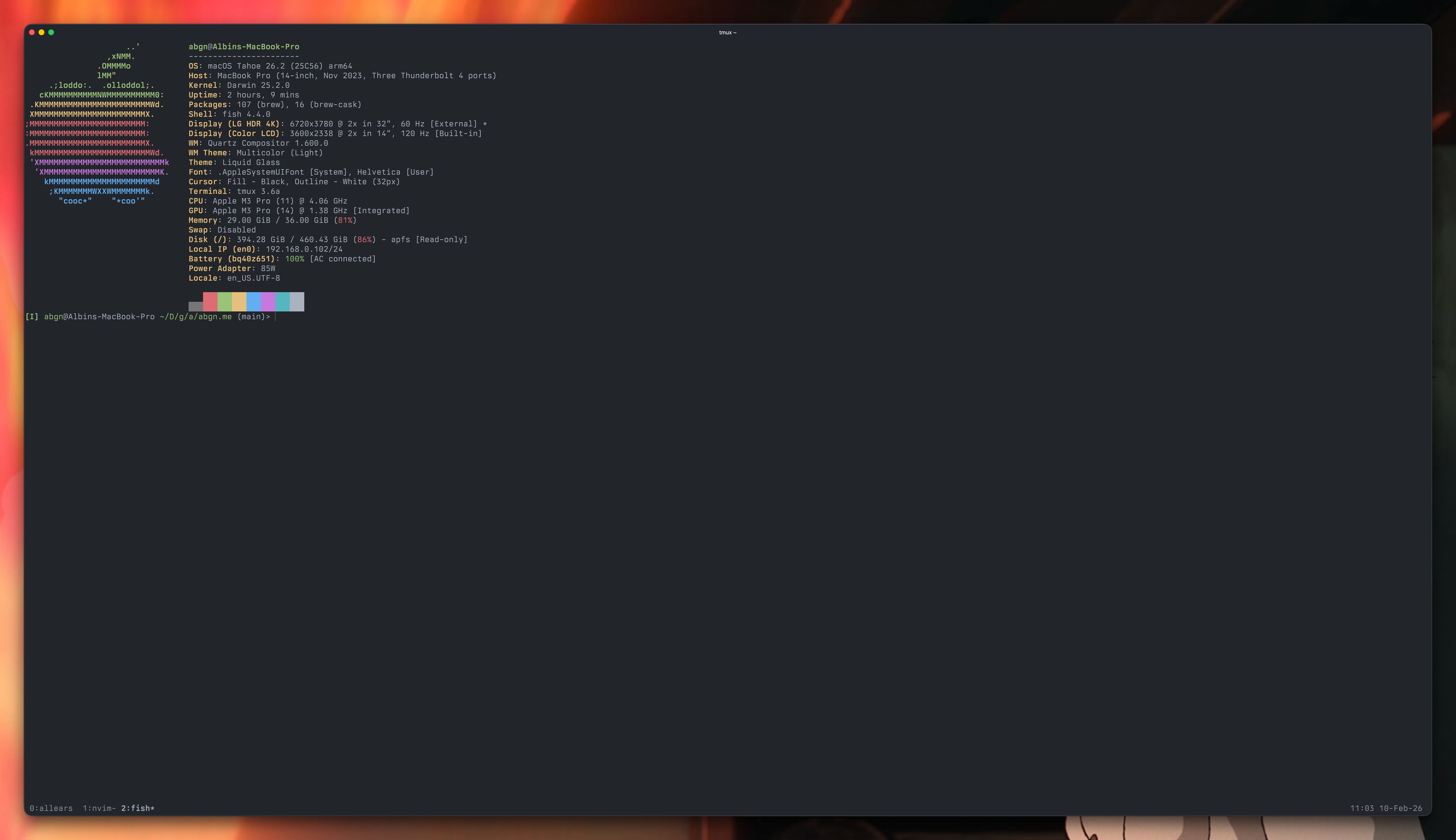
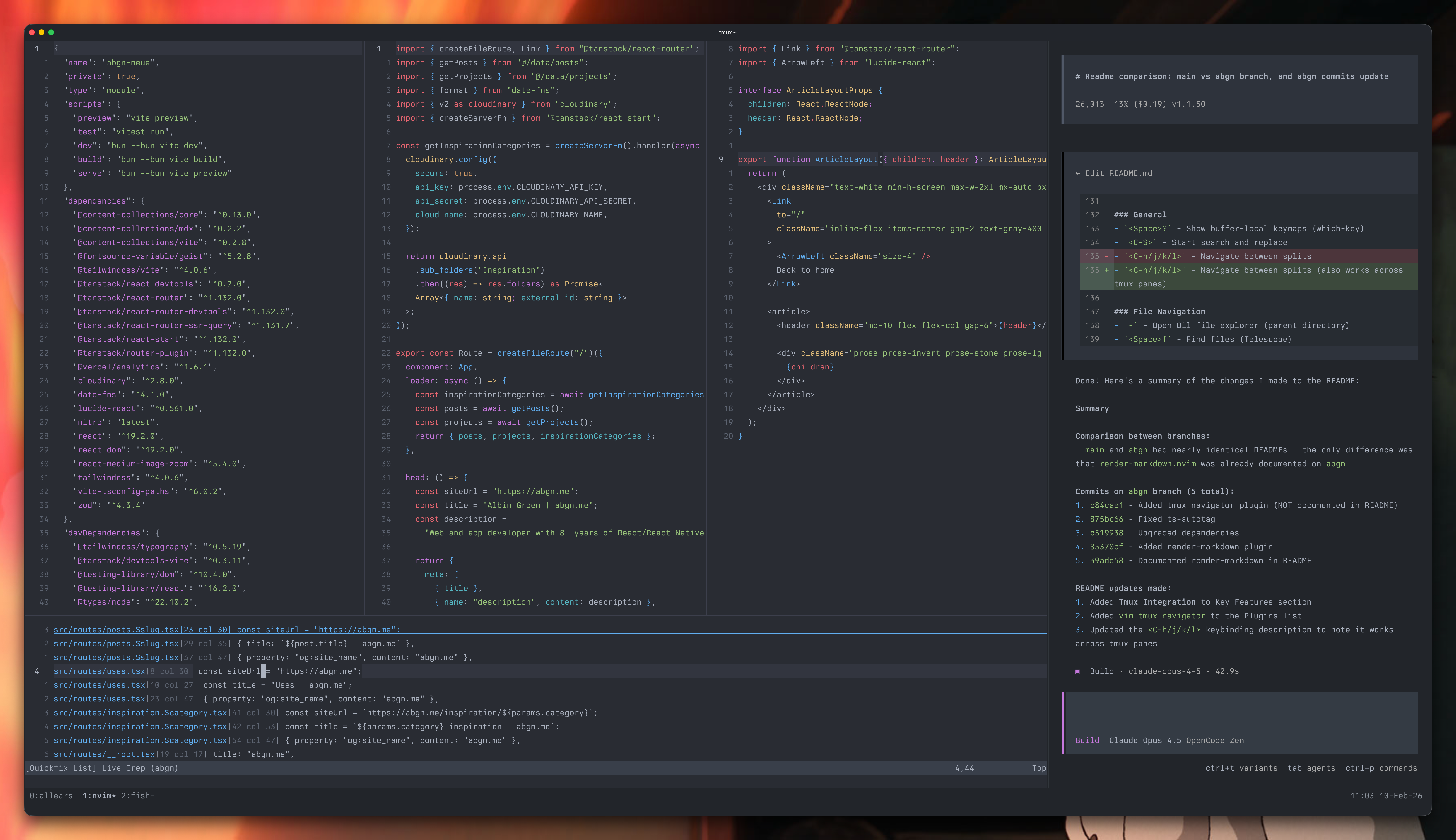
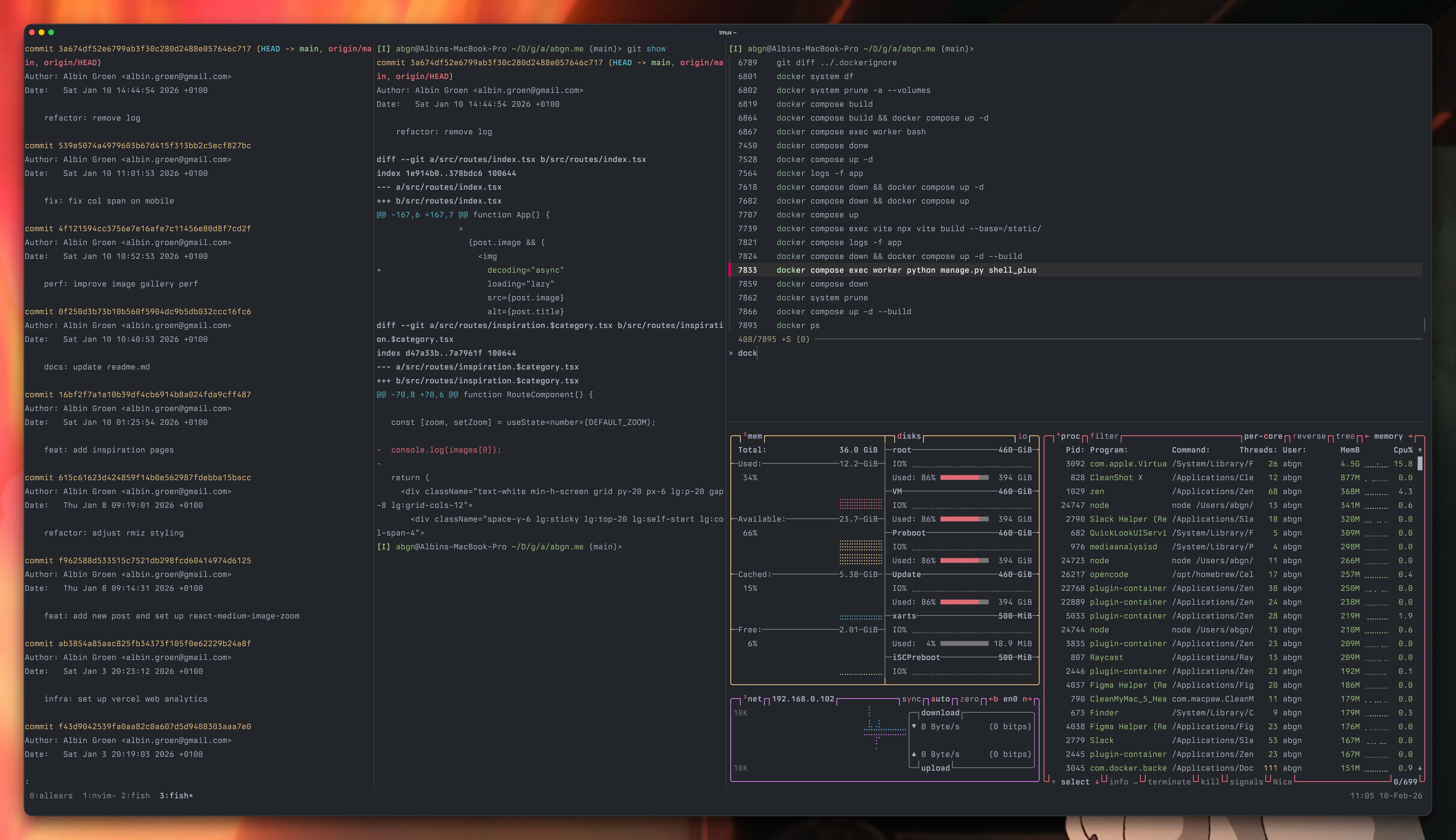
Neovim has been his primary editor for nearly a decade.
The configuration is centered around frontend development — mainly TypeScript and React. It’s been refined slowly over the years. Plugins get pruned regularly. What remains is what he actually uses.
He publishes a small Neovim distribution called `quick.nvim`, though his personal setup is slightly modified to integrate better with tmux.
Current plugin list:
blink.cmp — High-performance completion plugin with fuzzy matching and async support.
conform.nvim — Lightweight formatter plugin that runs formatters on save with minimal config.
friendly-snippets — Collection of preconfigured snippets for a wide range of languages and frameworks.
gitsigns.nvim — Git integration that shows added, changed, and removed lines in the sign column.
lazy.nvim — Modern plugin manager with lazy-loading, lockfiles, and a clean UI.
mason-lspconfig.nvim — Bridge between Mason and lspconfig for automatic LSP server setup.
mason.nvim — Portable package manager for LSP servers, linters, formatters, and DAP adapters.
nvim-autopairs — Automatically closes brackets, quotes, and other paired characters as you type.
nvim-lspconfig — Official quickstart configs for Neovim’s built-in LSP client.
nvim-surround — Easily add, change, and delete surrounding pairs like quotes, brackets, and tags.
nvim-treesitter — Treesitter integration for better syntax highlighting, indentation, and code navigation.
nvim-ts-autotag — Automatically closes and renames HTML/JSX tags using Treesitter.
nvim-ts-context-commentstring — Sets the correct comment style based on cursor location in embedded languages.
oil.nvim — File explorer that lets you edit your filesystem like a normal buffer.
onedark.nvim — Atom-inspired One Dark colorscheme with multiple style variants.
plenary.nvim — Lua utility library used as a dependency by many popular plugins.
render-markdown.nvim — Renders Markdown inline with headings, code blocks, and formatting styled in the buffer.
telescope.nvim — Highly extensible fuzzy finder for files, grep results, LSP symbols, and more.
typescript-tools.nvim — Native TypeScript language server integration with faster performance than tsserver wrappers.
vim-rhubarb — GitHub integration for fugitive, enabling
:GBrowseto open files on GitHub.vim-sleuth — Automatically detects and sets the correct indentation style for each file.
vim-tmux-navigator — Seamless navigation between Neovim splits and tmux panes with the same keybindings.
which-key.nvim — Displays a popup of available keybindings as you type, so you never forget a shortcut.
Favorite Tools
Terminal
tmux — Terminal multiplexer for managing multiple sessions, windows, and panes from a single screen.
Neovim — Hyperextensible Vim-based text editor built for modern workflows and plugin ecosystems.
OpenCode — an AI-powered coding assistant that runs directly in your terminal.
fzf — Blazing-fast general-purpose fuzzy finder for files, commands, and anything piped to it.
zoxide — Smarter
cdcommand that learns your most-used directories and jumps to them instantly.Fish Shell — User-friendly shell with autosuggestions, syntax highlighting, and sensible defaults out of the box.
GUI
Ghostty — Fast, native terminal emulator built from the ground up with modern GPU rendering.
Raycast — Productivity launcher for macOS that replaces Spotlight with extensible commands and integrations.
Postico — Clean, intuitive PostgreSQL client for macOS.
Zen — Privacy-focused browser built on Firefox with a minimal, distraction-free interface.
Dotfiles
You can find his dotfiles here:
https://github.com/albingroen/dotfiles
He uses fish instead of zsh. Built-in syntax highlighting, solid autocomplete, and noticeably faster startup. It’s been his default shell for a while now.
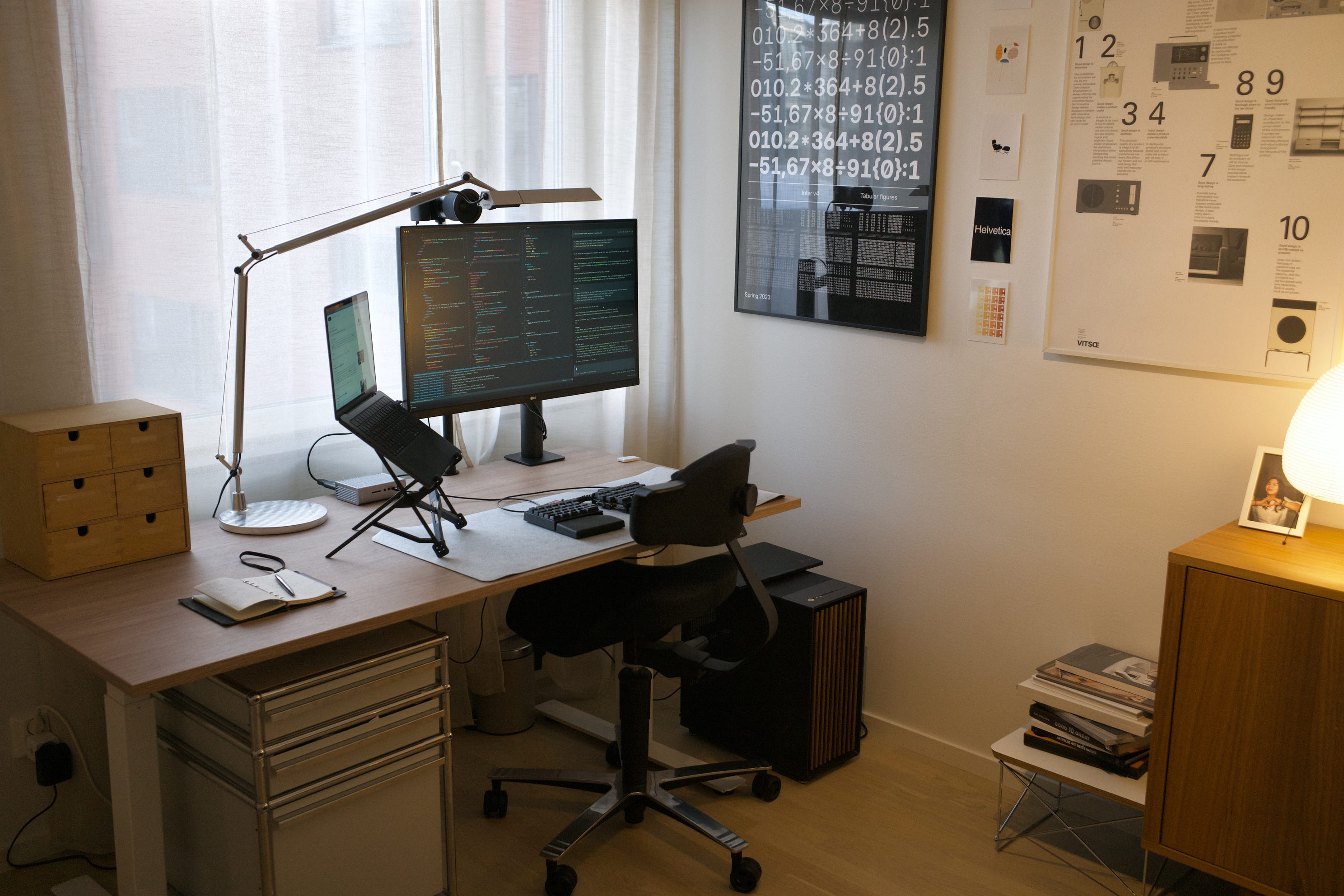
Desk Setup
Books
Technical
Refactoring UI — Practical examples on building better interfaces without necessarily being a trained designer.
Non-Technical
The Almanack of Naval Ravikant — A curated collection of Naval’s tweets over the years. Short, dense, reflective. A quick read that lingers longer than expected.
Good setup. Ghostty plus Fish is a solid combo. I've got a similar stack running and the one thing that really changed things for me was configuring the quick terminal dropdown. One keybind and you've got a terminal from anywhere on your system without touching your window layout. Covered the full config including that bit here: https://reading.sh/ghostty-in-10-minutes-install-configure-and-never-look-back-9ff3037b60c5?sk=802e84658561ce2d27753884ca52a368